

Wondering what to put on a TV stand without making it look either empty or cluttered? A TV stand has to do more than hold your screen. It often becomes the home for streaming devices, game consoles, remotes, cables, books, plants, and decorative accents—all in one highly visible area.
The key is not simply choosing fewer things. It is using a clear decorating and organization logic. Start with functional essentials, then add storage organizers, move on to decorative accents, and finally edit the overall look so everything feels balanced. This step-by-step approach makes it easier to create a TV stand that works for your lifestyle while still looking intentional.
Whether you have a compact apartment, a family living room, or a dedicated media space, these practical TV stand decor ideas can help you make the most of the area without sacrificing style.
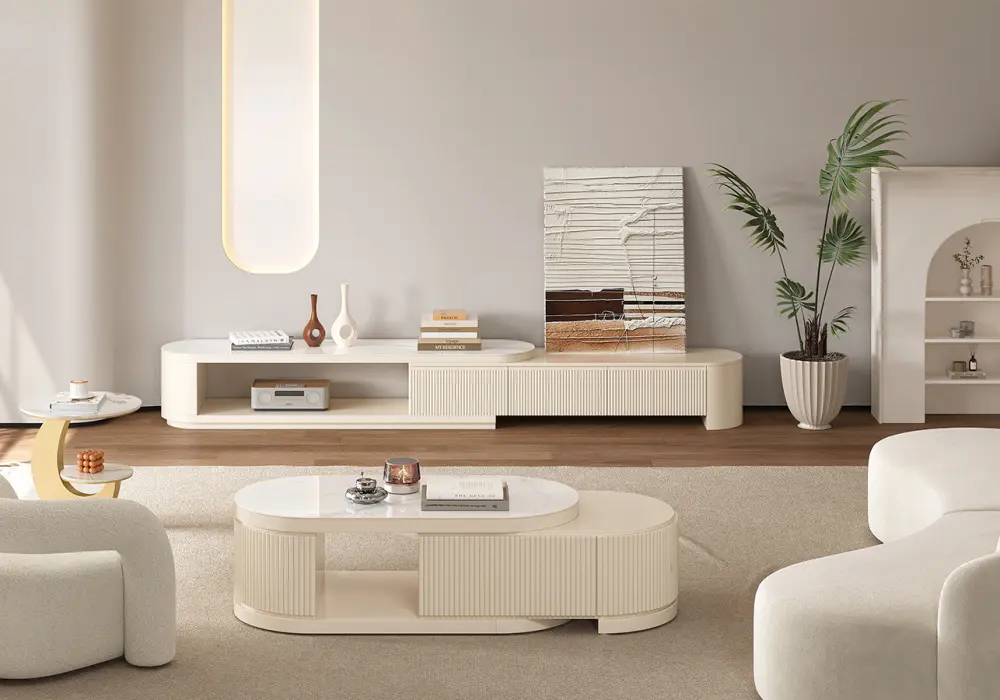
Velar 71"-114" Extendable Fluted TV Stand
Table of Contents
Functional Essentials: Electronics, Consoles, and Media Devices
The first step in deciding what to put on a TV stand is identifying the electronics you actually use. These functional pieces should come before any styling decisions because their size, cables, ventilation needs, and placement will determine how much room you have left for decor.
Which electronics belong on a TV stand?
Common TV stand electronics include game consoles, streaming boxes, Blu-ray players, soundbars, speakers, and occasionally a router or other media equipment. Larger components are usually easier to keep inside the TV stand, especially when the furniture has open shelving or ventilated cabinets. This creates a cleaner appearance while keeping frequently used devices accessible.
Some electronics, however, work better on the top surface. A soundbar, for example, generally needs an unobstructed position in front of or directly below the television so sound can travel into the room. Compact streaming devices can also stay on the surface when they need a clear line of sight for remote control signals.
How to position media devices
Item | Recommended placement | Main consideration |
Game console | Open shelf or ventilated cabinet | Leave space around it for airflow |
Streaming device | Top or open shelf | Keep the remote signal unobstructed |
Blu-ray/DVD player | Shelf or cabinet | Allow access to the front and disc tray |
Soundbar | Centered below the TV | Avoid blocking speakers or display |
Router | Open shelf, if possible | Keep airflow and signal path clear |
Small speakers | On either side of the TV | Avoid blocking the screen or each other |
Think about access as well as appearance. A game console hidden behind a decorative box is inconvenient, while a media player buried beneath a pile of books defeats the purpose of having it nearby. Keep devices that you operate frequently easy to reach, and move less-used equipment into enclosed storage whenever practical.
TV stand setups for different lifestyles
These electronics also create secondary clutter. A gaming setup can quickly produce controllers, charging cables, headsets, and spare accessories. A movie setup may add remote controls, discs, and extra HDMI cables. Even a minimalist TV area usually needs somewhere for at least a few everyday items.
For a game player, the priority is accessibility: a console on an open shelf, controllers in a nearby basket, and charging cables contained in one small box. For an avid movie or streaming user, a soundbar and media player can take center stage, while discs and spare remotes stay organized inside the stand. For a minimalist household, only the essential device and sound equipment may remain visible, with everything else hidden behind doors or in drawers.
The goal is simple: let the TV stand support your entertainment habits without becoming an electronics display.
Keeping It Organized: Baskets, Trays, and Boxes for Everyday Items
Once your essential devices are in place, the next question is how to deal with the small objects that tend to gather around them. This is where TV stand organization makes the biggest visual difference.
Use baskets for everyday accessories
Remotes, game controllers, charging cords, batteries, discs, and other accessories may be useful, but they rarely look attractive when scattered across the furniture. Instead of trying to eliminate these items, give each category a designated home.
Baskets are particularly useful for everyday objects that need to be grabbed quickly. A small woven basket can hold remotes and controllers while adding texture to a neutral living room. Lidded boxes are better for items you use less often, such as backup cables, spare batteries, or media discs. A shallow tray can group smaller objects and prevent them from spreading across the surface.
Choose storage that matches your TV stand style
Material is another easy way to make organization feel intentional rather than purely practical.
Organizer type | Best for | Style pairing |
Woven or rattan basket | Remotes, controllers, small accessories | Natural, coastal, relaxed |
Acrylic box | Small electronics and neatly sorted items | Minimal, modern |
Wooden box | Cables, discs, miscellaneous accessories | Rustic, farmhouse |
Shallow tray | Everyday items that need quick access | Works across most styles |
Choose organizers based on the scale of your TV stand. Oversized baskets can visually crowd a small console, while tiny boxes can make a large media unit look fragmented. Keep containers low enough that they do not block the sides of the television or interfere with the sound from speakers.
Organize by frequency of use
It is also helpful to separate frequently used and rarely used items. Daily-use remotes belong in an easy-to-reach tray or basket. Spare cables and old discs can be placed inside a lidded container and moved to an interior shelf.
A simple rule is to organize by activity rather than by object. Create one place for “gaming,” one for “media controls,” and one for “spares.” This reduces the visual noise and makes it easier to put things back where they belong.
In other words, this step is not about deciding which electronics belong on the TV stand. That decision was made in the previous section. It is about making the functional items you already own look tidy and intentional.
Decorative Accents: Plants, Books, Art, Lighting, and Seasonal Touches
With electronics organized and everyday clutter contained, you can finally focus on the fun part of TV stand styling: decoration.
Try simple TV stand decor formulas
The best decor adds personality without competing with the television. Because the TV is already a large visual focal point, smaller accessories usually work better than oversized statement pieces. Think in terms of height, texture, and grouping rather than filling every available inch.
One easy styling formula is a low tray + two substantial books + one vertical accent. The tray creates a visual base, the books add height and color, and the vertical item—such as a small vase or sculptural object—draws the eye upward. This simple three-piece arrangement can be adapted to many interiors.
Match decor to your interior style
Minimalist: Keep the palette restrained with a low ceramic vase, a small stack of books, and one sculptural object. Leave plenty of the TV stand surface visible.
Modern farmhouse or rustic: Combine a woven basket, wood-toned accessories, a framed photo, and a compact plant. Natural textures help soften a technology-heavy space.
Industrial: Use darker wood, metal accents, simple books, and architectural objects. Keep the overall arrangement structured rather than overly decorative.
Add greenery without creating extra work
Plants are another reliable way to bring life to a TV stand. Easy-care greenery such as pothos, snake plants, or compact succulents can work well, depending on the room's light conditions. For households with children or pets, placement matters as much as plant selection. Keep plants away from edges where they can be knocked over, and consider realistic artificial greenery when a lower-maintenance option is more practical.
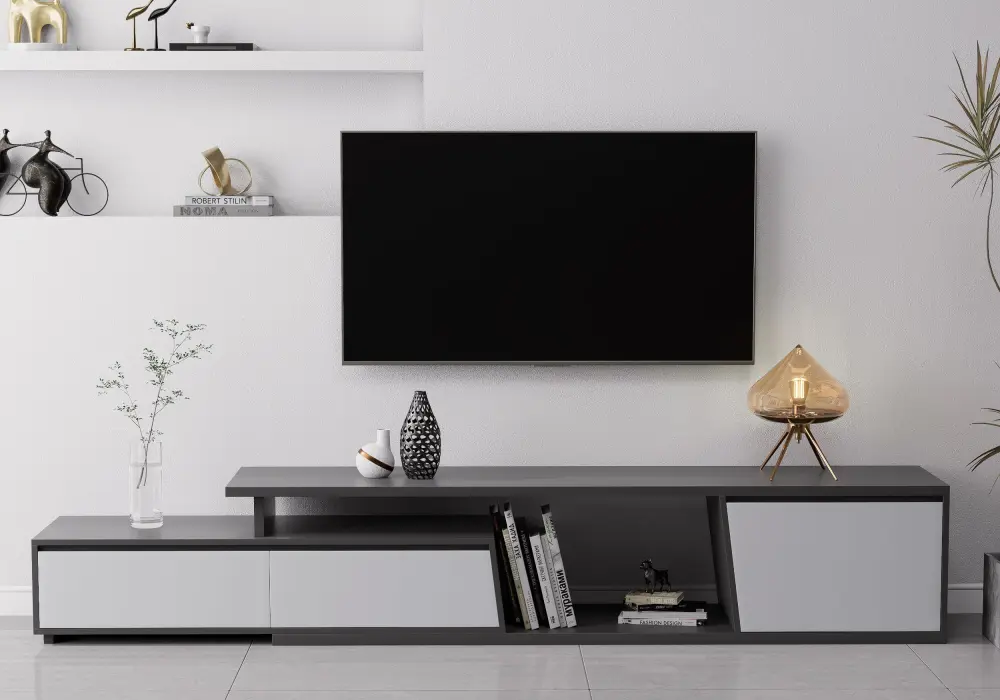
Fero 71"-110" Extendable TV Stand
Use lighting and personal accents
Lighting can also transform the area after dark. A slim table lamp placed to one side of the stand can create a warm layer of light, while subtle LED lighting behind or beneath the TV stand can add atmosphere without taking up much surface space. Avoid placing a lamp or decorative object where it blocks the screen or interferes with speakers.
Personal items make the space feel finished. A framed photograph, a small piece of art, or a meaningful object can make the TV stand feel connected to the rest of your home rather than staged for display.
Refresh your TV stand for the seasons
Seasonal decorating should be flexible rather than permanent. Instead of buying new furniture or a large collection of holiday accessories, rotate a few inexpensive, easy-to-store pieces. Try a small seasonal floral arrangement in spring, a few natural textures in fall, or simple festive ornaments and battery-powered lights during the holidays.
The advantage of this approach is that your TV stand can change with the season or your mood while maintaining the same functional foundation.
How Much Is Too Much: Balancing Style, Function, and Clutter
The final step in deciding what to put on a TV stand is knowing when to stop.
Create visual balance around the TV
A well-styled TV stand does not need to be completely symmetrical or completely full. It needs visual balance. Start by looking at the television as the center point, then consider how the objects on either side relate to it.
A useful approach is to create a balanced composition without making both sides identical. For example, place a tall plant on one side and a stack of books with a smaller lamp on the other. The visual weight remains similar even though the objects are different.
Use height and negative space
You can also use a simple 3:2:1 decorating rule: group three small or low elements, two medium-height pieces, and one taller accent across the overall arrangement. This creates variation without making the surface feel busy.
Leave intentional empty space around decorative objects. Negative space gives the eye somewhere to rest and helps the television remain the primary focal point. On smaller TV stands, reducing the number of accessories will often make the room feel larger.
Avoid common TV stand styling mistakes
Watch for a few common mistakes. Tall decor can obstruct speakers or distract from the screen. Too many storage boxes can become visual clutter instead of solving it. Repeating the same size and shape of object can make the arrangement feel flat. And filling every empty corner simply because space is available can quickly turn an organized TV stand into an overcrowded one.
Before adding another accessory, ask whether it improves function, organization, or visual balance. If it does none of these things, it probably does not need to be there.
Ultimately, the answer to what to put on a TV stand is a combination of what you use, what you need to store, and what reflects your style—so the space feels neither empty nor cluttered, but simply well considered.
FAQ
What electronics should go on a TV stand versus be hidden away?
Frequently used devices such as streaming boxes, game consoles, and media players should remain accessible, while spare equipment can often be stored inside cabinets or drawers. Soundbars and speakers generally need an open, unobstructed position for better sound distribution. Always allow adequate airflow around electronics that generate heat.
What are good storage solutions for remotes, controllers, and cables on a TV stand?
Small baskets, trays, and lidded boxes work well. Use an open tray or basket for frequently used remotes and controllers, and reserve closed boxes for spare cables, batteries, discs, and other less frequently used accessories.
How many decorative items should I put on a TV stand without it looking cluttered?
There is no universal number because the ideal amount depends on the size of the TV stand and the size of each item. Start with a few carefully grouped pieces and leave visible negative space. Using different heights and proportions usually looks more intentional than filling the entire surface.
What plants or greenery work well on a TV stand, especially with pets or kids around?
Compact, easy-care plants can work well when the TV stand receives suitable light. For homes with pets or young children, choose stable placements away from edges and consider artificial greenery when safety, maintenance, or watering is a concern.
How do I style a TV stand for different seasons or holidays without buying new furniture?
Keep the furniture and major electronics unchanged, then rotate small accessories such as framed prints, vases, floral arrangements, ornaments, or battery-powered lights. A few interchangeable accents can create a seasonal update without making the space feel overdecorated.
Should decor be symmetrical on both sides of the TV, or is asymmetry better?
Both can work. Symmetrical arrangements create a formal, orderly appearance, while asymmetrical styling often feels more relaxed and contemporary. The key is to balance visual weight rather than making every object identical.